Command (line) and conquer
Create projects, write SQL, run analyses, and connect your agents… without leaving your terminal.

“We're already seeing strong pull for Hex AI across StubHub. CLI is the next logical step — it lets our most technical users build Hex into the automated workflows where AI does its best work.”
“We're already seeing strong pull for Hex AI across StubHub. CLI is the next logical step — it lets our most technical users build Hex into the automated workflows where AI does its best work.”
Works in any terminal
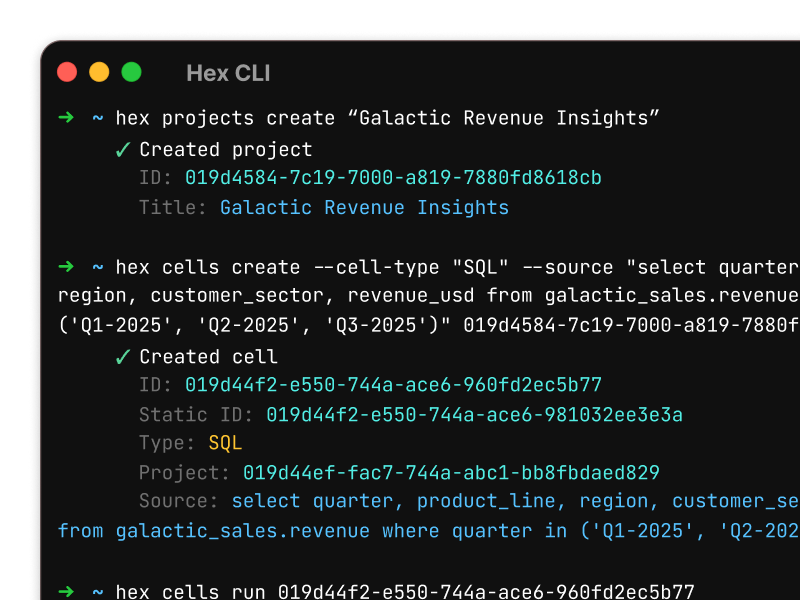
Interact directly with Hex from your terminal. Get projects, create cells, and manage users from the command line.
Plays nicely with coding agents
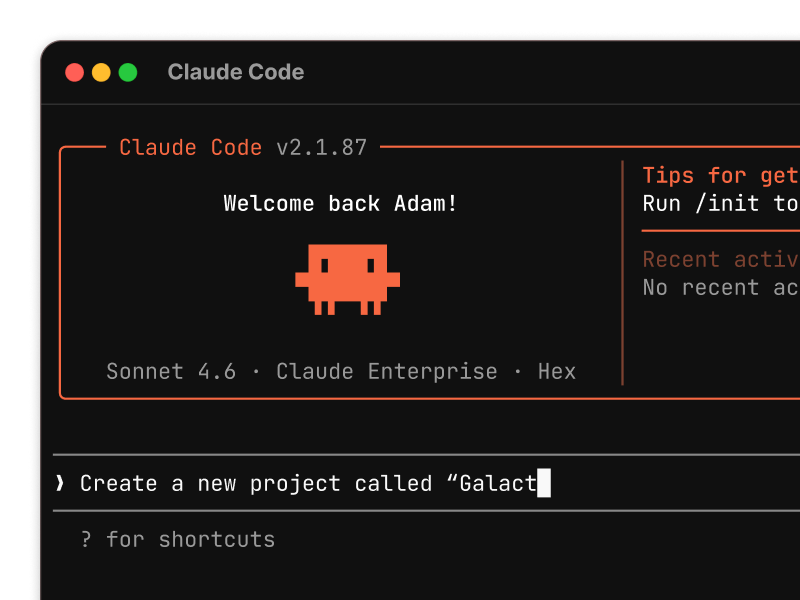
Use Claude Code or Cursor to generate an analysis, and have it move it across to Hex. Teach your agent how to use the CLI with our agent skill
Orchestrate and automate
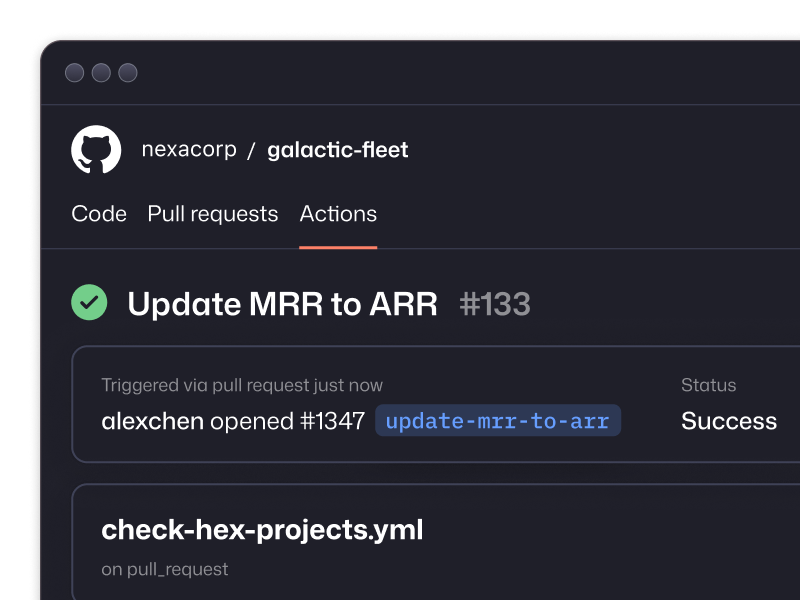
The Hex CLI is a standard UNIX tool - trigger automations from GitHub Actions, or your own orchestration layer.
Everything you need to control Hex with code
Create & manage projects
Spin up Hex projects in seconds. Use , , and to build analyses from your terminal — and make changes across many projects in one scripted pass.
Run & validate
Execute projects and apps programmatically with . Integrate it into CI pipelines to catch errors and keep analyses in sync with changes to your business.
Put the agent to work
Kick off the Hex Agent from where your team already works. Use to ask a question, run the analysis in Hex, and bring the answer back into your existing workflow.
Keep context up to date
Keep your context in line with how the business evolves. Use to manage business logic and to preview and publish changes to guides and semantic models.
BI migrations
Bulk schema updates
Generate locally, ship to Hex
Pull all the .sql files from /legacy-bi/hyperdrive-analysis and create a new project in Hex called "Galactic Hyperdrive Performance". When done importing them, run all cells.
I just pushed a new PR, search across all my Hex projects for anything that uses the "hyperdrive_performance" table and the "hyperdrive_model" column. We need to update the column name to "hyperdrive_model_sku". When you're done, run all cells.
Find "hyperdrive_maintenance_churn_v2.ipynb" and use the Hex CLI to import it into my workspace, then open it in my browser.
In one script, fetch the SQL powering the most popular dashboards, push into new Hex projects and bootstrap your AI analytics migration.
List all projects, scan all SQL cells for the old column name, update in place, and rerun to validate. From a day-long project to a simple script.
Use any AI tool to write SQL and Python, push the finished analysis to Hex as a shareable, versioned project.
Built for data teams who want more than a dashboard
Hex is the AI analytics platform where your notebooks, agents, and self-serve all live together — and actually talk to each other.