Blog
We automated data validation — here's how we did it
Our team's journey to building an AI audit agent

Picture this: You just finished updating a complicated, significant part of your data DAG. You refactored a bunch of code, and now you need to make sure your changes produce valid results. You sigh, realizing that making the change is only ever half the battle (and maybe half the time commitment). Validating your changes is still a slog.
And maybe while you’re mucking through your audit, you’re watching the Cambrian explosion of AI workflows around you, wondering if it could somehow solve your validation woes. If that’s you, you’re in the right place.
The journey toward better validation
Though data validation may be painful, the good news is our tools have come a long way. I’ve seen this work evolve from vibes-based auditing of git file diffs and a handful of ad hoc queries to a real, consistent, streamlined process. With each advancement, we’ve improved in two critical directions:
- We’ve standardized more and more of the workflow. A data validation process that is uniform and consistent means that we leave no stone unturned in checking our work.
- We’ve created more flexibility for what we can audit. Flexibility may seem contrary to standardization, but it’s not. Standardization solves inconsistency. Flexibility means that tools aren’t overly rigid to the point of having limited usefulness.
We've written before about our data team’s evolving validation workflow. Many of us were early adopters of dbt’s audit_helper package, which provided standardized tests to compare row counts, columns, and outputs and easy-to-review summary tables of those analyses—right in your terminal. At the time, this was a massive improvement to change management workflows!
But give some mice a cookie, and they’ll want more. My team began craving a workflow with more flexibility and more observability. So we did what many of us do: we completely rebuilt the tool to fit our needs.
Enter the Hex Audit Helper app. Simply build your CI or dev schema, select the table you need to audit, and let the app take care of the rest. For our team, this change really felt like a magical, Hexy glow-up:
- We built traceability: We ditched screenshotting for Hex’s snapshot feature, creating a history of traceable links to all audits.
- We built versatility: With Hex’s toggle and dropdown cells, we expanded the control we had in an audit, like excluding new columns from comparison to avoid breaking
intersect/exceptchecks or filtering large models with awhereclause. - We built visibility: Our app went beyond summary tables and printed whole contents of discrepant rows. Seeing exactly what had changed between prod and dev gave us more evidence to accept or reject proposed model changes.
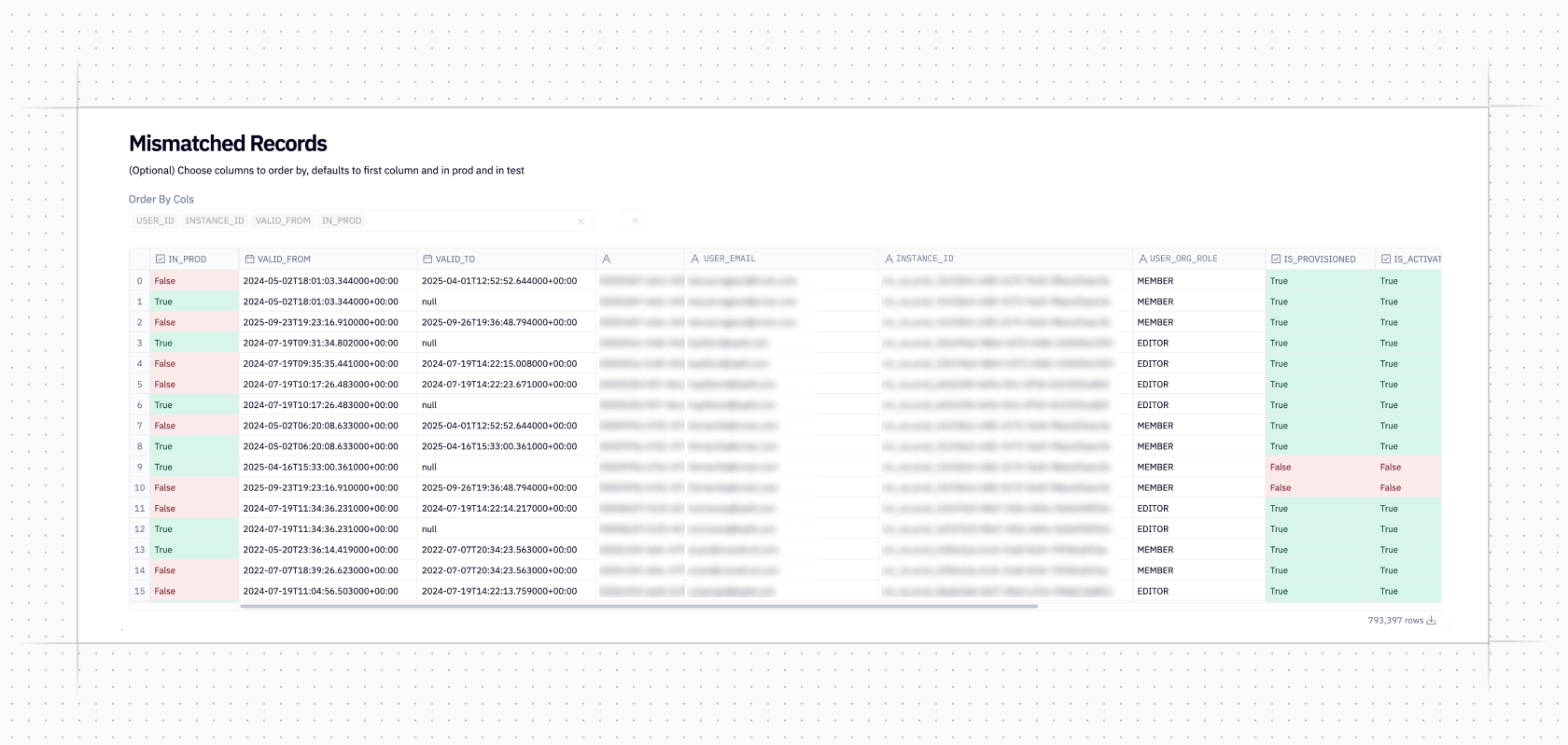
The Audit Helper app made auditing a smoother, more integrated step in change management. But if there’s one thing the Hex data team is going to do with a Hex app, it’s tinker. As we grew, we wanted more controls and continued adding to our internal Audit Helper app, including:
- A toggle for truncating timestamp columns
- A toggle for rounding specified
floatcolumns - A toggle for reconciling a renamed column
Each addition was useful, but added bulk to an already bulky app. More customization created more mental overhead, too. There was more to remember—and more room for error, especially from unexpected data types. If a column we tried to round wasn’t a float but a double, or a timestamp wasn’t the exact right format, our app would error, making validation even more time-consuming and frustrating.
If the only pain had been a clunky app, we would have just streamlined our notebook and kept going. But on top of the clunkiness, there was also fatigue: because even a smooth run is cumbersome if it yields unexpected changes. While our app answered questions of which rows changed and how, it couldn’t answer why. To do that, we needed to create another notebook and trace the change to its origin using bespoke queries. If we discovered a bug, we’d go back to our code editor to fix it, rerun CI or our dev schema, reopen Hex Audit Helper, and begin the process all over again.
All that friction made it clear to us that it was time to find a new tool for the job. And since we were conducting this search in early 2026, it meant considering how we might leverage increasingly powerful AI tools for this work.
The age of delightful(-ish) auditing
In the last few years, we’ve seen rapid progress in using AI for data and analytics. But the early work here focused more enabling AI-powered self-service for data consumers. We analytics engineers focused on treating AI as one of our stakeholders. We talked about making our warehouses and data models more consumable for LLMs and framed analytics engineering as the original context engineering.
All of this is still true, but something new is also unfolding: AI has become a powerful partner for analytics engineers. AI agents are now adept at brainstorming, planning, and executing significant changes to dbt projects in a way that they previously could not. Just six months ago, I was fighting AI to add a new column upstream and successfully pull it through to downstream models. Confused by CTEs and select * wildcards, it seemed to do more harm than good. Today, that sort of change feels almost instantaneous.
I thought that if AI could understand enough of my dbt project to successfully make changes to my models, it could probably also help audit the impact of those changes. So I built an agent skill that could design and conduct an end-to-end audit, entirely from the command line, incorporating the same principles of standardization, flexibility, and traceability we’ve always sought in a validation tool.
How it works
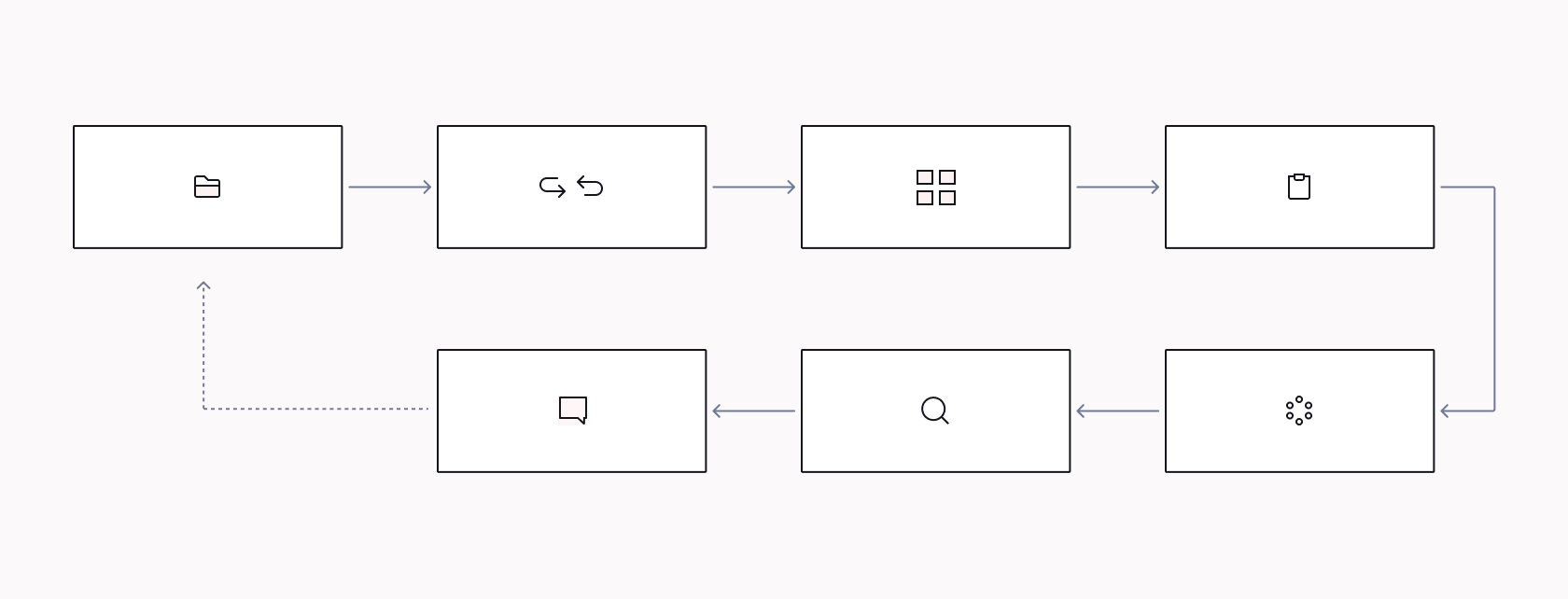
Agent skills are folders containing human-readable instructions, scripts, and important context required to complete a specific task. My audit-helper skill is comprised of seven explicit steps that also include precise dbt commands and templated sql.
Executing a series of technical actions is easy for the agent. But an audit isn’t just the execution of technical steps: It’s interpretation, skepticism, decision-making. In order for the agent to be a more well-rounded collaborator, I’ve tried to imbue the following principles across the entire skill.
Be a good partner
I’ve been using the [superpowers](<https://github.com/obra/superpowers>)/brainstorm skill for awhile and have seen how powerful it is for framing the outline of a plan, weighing different approaches, and creating a step-by-step implementation plan for data work. I wanted that same sort of dialogue and partnership to exist in my audit-helper skill.
For example, the skill directs the agent to proactively suggest models to audit, prioritizing relevant models in my “core” layer (eg. dim_ and fct_ models) over staging and intermediate layers. While I usually have a good idea of the models I need to audit, the extra brainstorming step has made me more thoughtful about where I expect (or perhaps didn’t expect!) to see changes.
Most importantly, the agent only ever makes suggestions. It's still on us, the data people, to define the scope of the audit. The agent pauses after it makes its suggestions and asks us to either accept its recommendations or make adjustments before proceeding.
Work smarter, not harder
The goal of any audit is to determine what impact, if any, your changes have on a model’s outputs and decide whether they are acceptable. That alone is a lot of work! But we are often delayed in getting to those conclusions as we wrestle with tools that struggle to compare different data types, changed column names, or mismatched time ranges.
With the audit-helper skill, we get to our end goal faster with explicit guidelines to:
- Ensure fresh development schemas: Once the agent knows which models to audit, it refreshes the dev schema to avoid using stale data for comparisons against prod. It does this efficiently, using dbt’s favor-state for deferral and more niche rules about when to build models with certain tags.
- Apply no-nonsense noise reduction: By default, the agent truncates any relevant timestamps to the nearest hour and any numeric columns with a decimal scale (regardless of type) to the nearest hundredth.
- Automagically handle large model comparisons: Our dbt project has several large, incrementally-built models. To avoid long dev runs, we have a
limit_buildmacro that truncates rebuilds in the dev target to a subset of days. This saves a ton of time, but makes auditing against prod (which has the full, non-truncated model) tricky. I’ve added instructions in this skill to check for alimit_buildmacro in any of the models it’s auditing—or anywhere in the upstream build. If it exists in the audit, the agent filters the prod query to the same date range, guaranteeing that we’re always comparing apples to apples.
Don’t make assumptions
Having one tool that moves from cheap and easy checks to root cause analysis is incredible. But just because you can automate something doesn’t make it inherently trustworthy! Agents are extremely confident. If left to their own devices, they will accept or explain away significant changes—even when they lack the information to reasonably make those calls.
In the audit-helper skill, I try to steer the agent away from hyper-confidence as much as possible. Many of the steps include specific instructions to pause for feedback before preceding. Early checks like row counts and row/column value comparisons have mandatory match rate reporting and require flagging high discrepancy rates for approval.
In my v1 of this skill, I noticed that the agent classified many discrepancies as “data drift” caused by the time gap between our prod job’s build schedule and my dev schema’s latest build. Often, changes are due to timing, but regularly making that assumption, or any assumption—especially without evidence—is a dangerous leap to make.
Now, the skill includes specific, strong language to not making diagnoses without hard evidence. Before it can reasonably diagnosis a root cause, the agent has to:
- Confirm that any relevant timestamps in the model (eg. created or updated times) are recent enough for plausible data drift, and
- Print a sample of changed records so that I can confirm or question the agent’s diagnosis, and
- Provide the exact sql it ran in case I want to double check the agent’s work, and
- Pause and ask if I accept the differences (and the root cause), or whether more work is needed.
Though this may seem like a lot of overhead for something that is supposed to be automated, it's actually not. The goal of this skill is to make validation work more delightful and efficient—not to automate away the responsibility of understanding and accepting changes.
Show your work
Generally, we should expect from the agent what we expect from ourselves. Validating our work requires evidence, for ourselves and for the person reviewing our PRs.
As described above, part of this means that the agent must be able to share its sql with me, the developer, during the audit. I may not always need to use it, but it’s always useful context to make sure our agent hasn’t gone off the rails. But it’s not the only time when the agent has to show its work.
At the end of every audit, the agent also creates a report to add to our PRs. This includes a summary of its work and final verdict, as well as templated documentation that varies for specific outcomes, such as checks that pass, checks that detect expected changes, and checks that detect unexpected changes. This creates a detailed and uniform validation section in our PRs, making it easier for reviewers to grok and ask follow-up questions.
The verdict
At Hex, we believe that this is the next evolution of data validation. Data people are still in the driver’s seat, but now we have a smarter, more helpful navigator. We’ve only had this skill available in our repo for two months and have already seen massive improvements. Our validation is faster, more consistent, and more comprehensive than it has ever been.
And the best part is that end-to-end validation feels seamless: The skill automates and makes painless the standard checks every audit needs, and progressively works through deeper, more niche root cause analyses. It’s standard, yet still customizable: When we haven’t been totally satisfied by validation results, we’ve been able to nudge the agent to go further and investigate specific edge cases or weird behaviors, and it just…works.
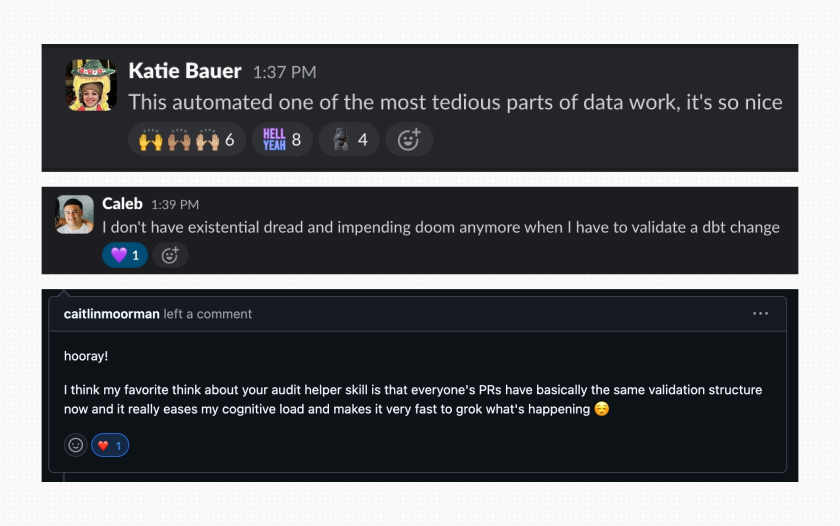
Don’t just ask me, though. Ask my team!
What’s next
Our audit-helper skill is just the latest in a series of ever-improving data validation tools and it's by no means the final evolution! We have a lot of ideas in the works to make this skill even more delightful.
Our biggest focus is to continue to improve our “don’t make assumptions” directive. We have a lot of very strong language in the skill already, but agents still stray even with the strictest of guidelines. The work here is a two-sided coin: We have to continue improving the agent’s skill in root cause analysis. But we also have to build more reminders for ourselves: to actively check the work, make sure conclusions being made have ample evidence, and consider where the agent may have limited or misleading context.
Another top of mind improvement is better explorability of the agent’s work. When an audit reveals unexpected changes, I often find myself wanting to do my own deep-dive alongside the agent’s work—ideally in a Hex app that I can share with my team. With hex-cli, we can make this an optional, templated step in the audit-helper skill.
And while this skill covers much of our dbt work, it is focused specifically on validating changes to an existing dbt model. It’s not a skill that we can use to validate a wholly new model or our semantic layer, for instance. We’re building separate skills for those workflows now.
It’s a strange time to be a data person: an era where excitement mingles with anxiety, optimism with skepticism. Our philosophy is that AI adoption into data workflows is at its best when it feels like a natural extension or advancement of the work being done. Validation is, and has always been, a deeply human responsibility. The goal of the audit-helper skill isn’t to replace human effort, but to make the work more impactful and—dare I say—delightful.
Making our own workflows better creates a ripple effect. Our data team is happier and has more time to get into meaty, high-impact work. And when we build stronger, more reliable data artifacts, our teammates around the company are better equipped to answer their questions and make informed decisions.
And at the end of the day, that’s what we’re all striving toward.
FAQs
Q: What is automated data validation?
Automated data validation is the process of using code or AI to check data quality — catching errors, inconsistencies, and regressions — without someone doing it manually. For us, that meant building an agent that reviews dbt PRs the way a senior analyst would, but without the bottleneck.
Q: How does dbt data validation work?
In dbt, you validate data through tests (schema tests, custom tests) and PR review. We layered an AI audit agent on top of that process to check things automated tests miss — like logic drift, documentation gaps, and the kinds of subtle inconsistencies that only show up when you actually read the SQL.
Q: Can you automate data quality checks?
Yes — and it's more tractable than it sounds. The key insight for us was to treat the AI agent as a partner, not a replacement for human review. It surfaces issues and explains its reasoning; humans make the call. That division of labor is what made automation actually stick.
If this is is interesting, click below to get started, or to check out opportunities to join our team.


