

When we launched Threads with Slack and the MCP server back in October, something wild happened: the number of questions fired off to the Hex Agent doubled overnight. Turns out, surfacing insights inside the tools your team already uses is a pretty great way to expand data access!
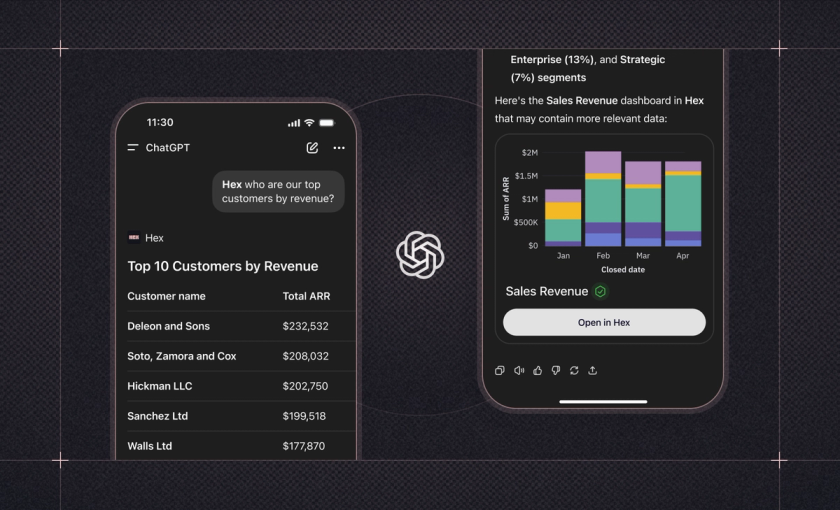
Today, we’re excited to share the next step in that journey: introducing the Hex app in ChatGPT. It’s a new way to tap into Hex’s agentic capabilities — right from one of the most popular AI assistants in the world.
Agentic analytics, right where you’re working
Three years ago, ChatGPT launched publicly to become one of the fastest-growing consumer applications in history. Since then, it’s evolved into much more than a consumer chatbot.
With the launch of ChatGPT’s new app directory, Hex joins a growing ecosystem of apps spanning functions like finance, sales, engineering, operations, marketing — and of course, analytics.
With the Hex app in ChatGPT, you can bring powerful, governed analytics into your everyday workflows. Search for existing Hex projects, or fire off a new exploratory data question for the Threads agent to answer.
Responses will inherit the context and security controls from your Hex workspace. That means users only see data they’re allowed to access, and AI responses stay grounded in the business logic and semantic context your team has already defined.
Imagine you're a sales leader prepping for your quarterly exec update. You might already be using ChatGPT to tighten up your messaging. Now, you can ask Hex to pull up your revenue dashboard, kick off a fresh analysis on quarter-over-quarter funnel trends, and generate a polished summary — all in the same conversation.
Or maybe you’re a growth marketer building a re-engagement campaign for trials that didn’t convert. With the Hex app in ChatGPT, you can grab a list of unconverted trials from last quarter, pull in feature usage data, and ask ChatGPT to draft your campaign email and create a CSV of those accounts to upload to your customer engagement platform.
Whether you’re validating a brainstorm with internal data or uncovering new trends in your business, you can get to insights faster with agentic analytics built right into your chat.
The Hex app in ChatGPT is available to Explorer+ seats on Team and Enterprise plans. Users on ChatGPT Business and Enterprise plans may need to request access from their ChatGPT Admin.
Get started with Hex in ChatGPT
To use Hex in ChatGPT, just start your prompt with “/Hex” and ChatGPT will automatically surface the Hex app in your chat — using relevant context from your Hex workspace to help get the job done. Or you can head to the Hex app in the ChatGPT apps directory to get started.
The first time you use Hex in ChatGPT, you’ll need to connect the app by authenticating into your Hex workspace.
Ready to dive in? Check out our ChatGPT app directory listing and technical docs.
The future of work is integrated
We’ve spent years building a powerful workspace where data teams can do their best work. But insights shouldn’t live in just one place.
Data questions — and answers — should meet you where you are. That’s why we’re excited to partner with OpenAI on this new way to access Hex, right from ChatGPT. No more jumping between tools just to check agent status or copy-pasting context from one place to another.
More integrations are on the way! In the meantime, let us know what you'd like to see next as we continue to integrate AI analytics into everyday workflows.