Blog
Tactics for credit efficiency in Hex
Practical recommendations from Katie Bauer, Hex's Head of Data, for efficient AI usage across your workspace.

Although I’ll grant that it happened differently for me than it did for the rest of you, I too logged in to work one day and learned I was on the hook for managing Hex’s AI credit consumption.
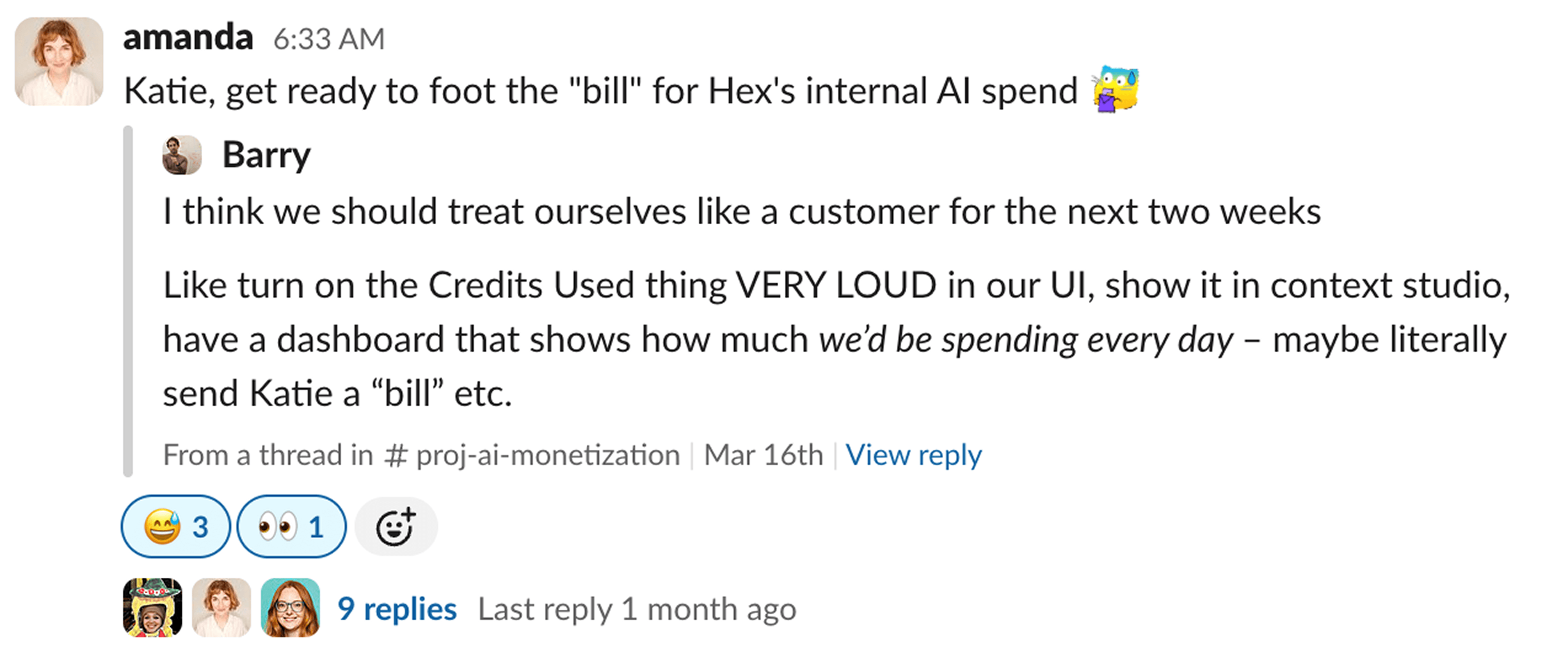
While it initially felt a little daunting, I was game for the challenge. Could we figure out how to make AI in Hex as efficient as possible? Not in a "squeeze every penny" way, but in the way that any good data leader thinks about managing resources. Data teams exist to make data maximally valuable to our companies, and understanding what drives cost is an essential part of that.
With Hex rolling out effort-based AI pricing, a lot of data leaders are going to be asking the same question we asked ourselves: what can I actually do to ensure the highest ROI on using AI for data work at my company? Below is what we’ve learned from our own internal experiment.
First, a quick primer on how AI effort works in Hex
Before getting into tactics, it helps to understand how Hex's AI pricing model actually works under the hood. It's effort-based, which means the cost of an AI interaction scales with how much work the agent has to do. Fortunately, what is high effort for the agent is pretty intuitive because it’s the same things that are high effort for a human.
A few things influence that effort:
- How much context the agent needs to gather. If the agent has to go searching across your data warehouse and codebase to understand what tables exist, what columns mean, and how metrics are calculated, that takes more effort. If that context is already provided and well-structured, the agent can get to an answer faster and with less work.
- How complex the question is. A simple lookup ("what was revenue last month?") takes less effort than a nuanced, multi-step analysis ("which marketing campaigns drove the highest LTV customers last quarter, by channel?").
- How much back-and-forth is required. If the agent has to clarify, retry, or work through ambiguity, that adds effort. Clear, well-scoped prompts reduce this.
Everything below flows from these principles.
Tactic 1: Build out your context
This is the single highest-leverage thing you can do. Every piece of context you add is effort the agent no longer has to spend figuring things out on its own.
Hex has several context types that work together here, all manageable from Context Studio: guides, endorsements, semantic models, reference repositories, and more.
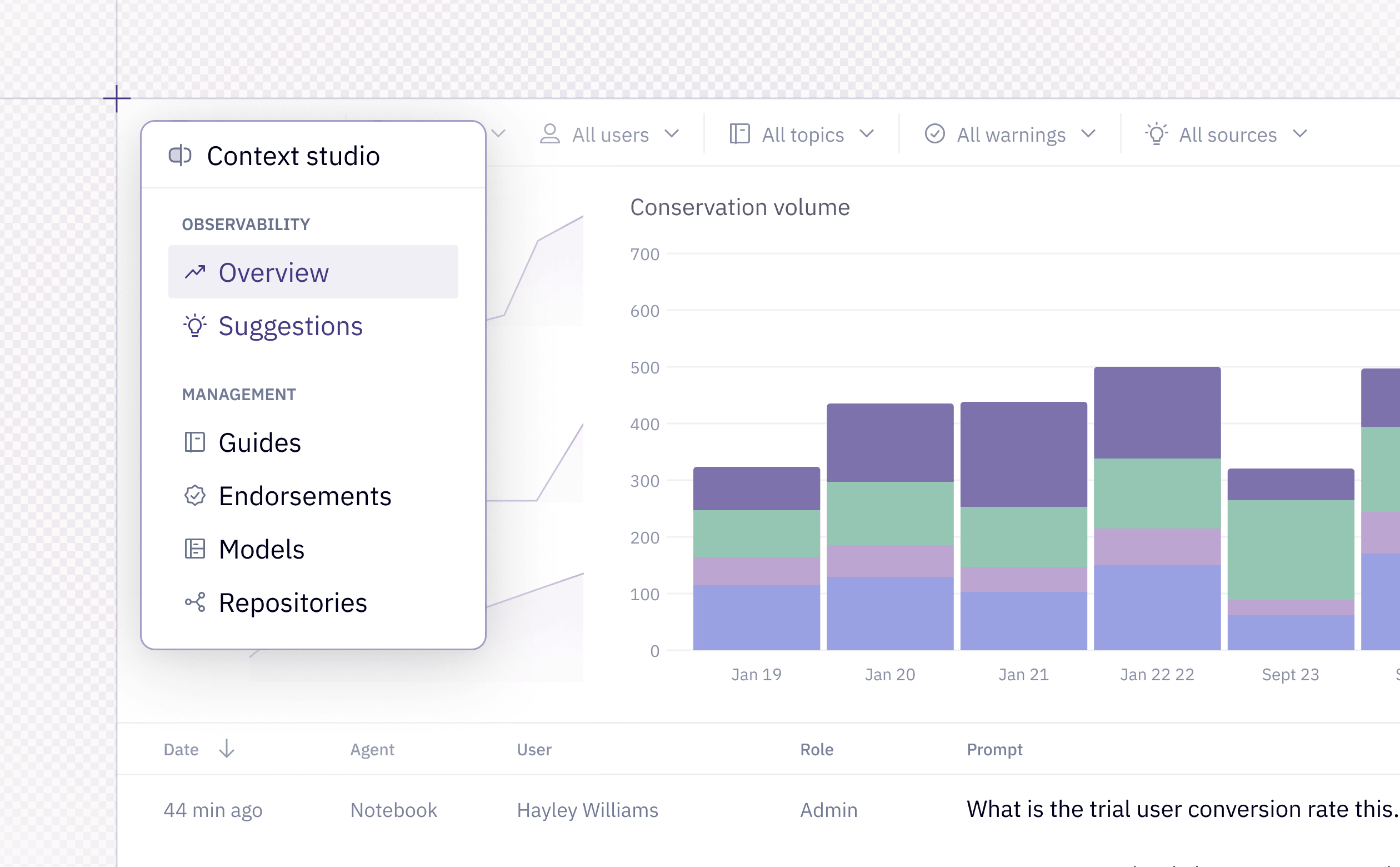
But you don't need to tackle all of them at once. If you’re looking for quick, meaningful efficiency gains, start with adding basic table metadata, endorsing commonly used trusted sources, and drafting a handful of targeted guides.
- Table metadata tells the agent what your tables and columns actually represent, so it's not inferring from raw data. Focus on your most-used tables first.
- Endorsements (and enabling Endorsed Mode) signal which sources are trustworthy, so the agent isn't wasting effort searching across deprecated or unmodeled tables. You likely already know which tables qualify, so this can be done in under half an hour.
- Guides let you document the things that would otherwise require tribal knowledge: how your business defines key metrics, which tables are canonical, any domain-specific nuances. Start small. If there's something you find yourself explaining repeatedly, that's your first guide.
External context can also be synced programmatically. Sync context for guides from GitHub via CI to keep definitions current, or connect repos so the agent can reference external context like your dbt models and transformation logic directly.
Plus, any projects and data apps you've already published in Hex are automatically available as context too. This is the easiest form of context to get leverage from because it’s generated simply by doing your normal work in Hex.
Keep guides tight and domain-scoped.
Every guide that's relevant to a question gets loaded into the agent's context, so a sprawling 40-page guide repository is itself a cost driver. Favor short, focused guides organized by domain over monolithic docs that try to cover everything.
Proactive context management with Context Studio
Building context once and walking away isn't enough. Context Studio lets you see what questions people are actually asking and how they're asking them, which turns on-going context management from a guessing game into a data-driven practice. And this is actually pretty fun for a data leader—there’s something delightfully meta about having data on how people use your data.
Here's how I'd recommend getting started with Context Studio:
- Look at your highest-volume users. What topics are they focused on, and how much trouble is the agent having with their questions? Preparing the agent to work better with your most frequent users is a high-leverage way to both enable your colleagues and manage costs.
- Pay attention to conversations that generate warnings. Context Studio flags potentially problematic conversations, making it easy to spot where the agent is spending more effort because context is missing. Plus, our new Suggestions feature looks across all of these errors and automatically drafts fixes for you.
Tactic 2: Help your users prompt smarter
Even with great context, the way users interact with the agent has a significant impact on efficiency. This is advice your data team can actively share with the people using Hex day-to-day. A lot of this isn't intuitive, and a little education goes a long way.
Reference what you know exists
If a user knows there's a dashboard that already tracks your most important product funnels, they should reference it directly using the @-mention rather than asking the agent to build answers from scratch. When you @-mention an existing asset, the agent can pull from that work instead of reconstructing it, which is significantly less effort.
This also means your users need to know what assets exist. Collections are a great way to curate existing work around common use cases or teams, so your users have a natural place to look before asking the agent to start from zero.
Don't keep going back to the same Thread
This is one of the most common sources of unnecessary effort. Long Threads accumulate tool outputs, failed attempts, and tangents, all of which occupy valuable real estate in the agent's context window.
Two better alternatives:
- Start a new Thread. User memory means the agent carries knowledge across Threads, so your users don't lose context by starting fresh.
- Turn it into a data app. If someone is coming back to the same question repeatedly, that's a strong signal it should be a persistent, shareable data app. You can convert a Thread to an app with just a few clicks.
Reserve high cost models for complex tasks
In the model picker, Auto mode is the default and Hex's recommendation for the best balance of cost and performance. Users can also make their own selection. And while it can be tempting to throw the latest frontier model at every question, lower-cost models are very capable for simpler asks.
Kimi 2.7, for example, is a solid option for everyday analytics that performs at Opus-levels for less than half the cost. Encourage users to reserve models like Fable 5 and Opus 4.7 for the genuinely complex or open-ended stuff, where the extra cost is worth it. You can also set a default model selection for your workspace if you prefer.
Tactic 3: Use admin controls to manage and plan spend
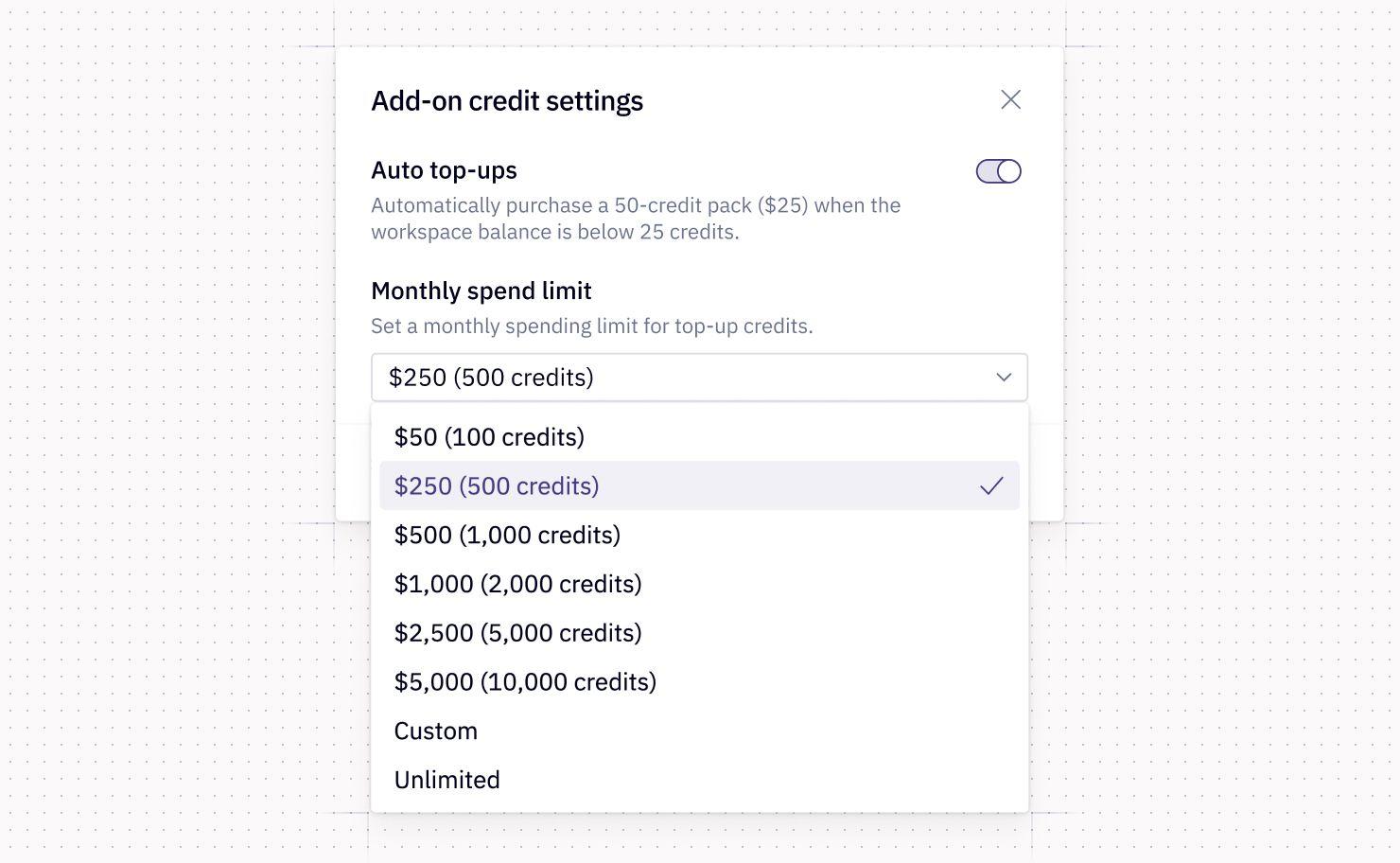
Hex gives workspace admins a set of controls for managing AI credit usage: visibility into credit usage, workspace credit pools for add-on credits, auto top-ups, and add-on spend limits for the add-on pool. These aren't just guardrails. Used thoughtfully, they're tools for understanding usage patterns and making informed decisions about how to allocate resources.
I don't want to turn this into a product walkthrough, because the more interesting question is: how should you actually think about using these?
Set your add-on cap thoughtfully
Forecasting without a lot of historical data is notoriously difficult. If you’re not sure where to start, I’d recommend you look at your historical usage from Settings > Billing & Credits and set your add-on limit at about 90% of what you expect to spend. This gives you a natural checkpoint before you blow past your prediction, so you can assess and adjust without cutting anyone off.
From there, you can also set per-user-per-month credit allocations to prevent a power user from blowing through the whole team's budget. Set a workspace default or customize per individual or group. You can choose no access, a custom quantity, or unlimited.
Plan the add-on cost like any new line item
This is something I'd encourage every data leader to do early. When you're entering a new spend area like AI credits, the best way to prepare your finance team or boss is to align on expectations. I’d recommend framing it as value-additive, rather than defensively, so ask how much are we willing to spend to streamline access to data across the company?
They may not have a good answer to this right off the bat, but it opens up the right discussion. From there, there are two big areas they’ll likely want you to speak to, predictability and ROI.
- On predictability: the controls above help. You can set caps, monitor usage, and ramp gradually. You won’t be surprised by a huge unexpected bill, and you're not signing up for an uncontrolled expense.
- On ROI: pick a specific use case. What are people using data for today, and what would happen if that access were frictionless? Would it enable your marketing team to get a faster read on what spend leads to new revenue? Would it reduce the number of hours that go into preparing for board meetings? What else could the data team (or people who currently have to rely on the data team to access data) do with all that newfound time and certainty, and how much would we be willing to invest to get to that future state?
This might feel like an intimidating conversation to have, but it will probably be easier than you expect. More finance teams are learning to think about AI spend as an investment in scaling, so frame what your team does accordingly.
———
Optimizing AI usage isn't about restricting your users from exploring data. Curated context, informed user behavior, and admin controls are all levers to get more from every credit in Hex.
We're still learning too, and I expect these practices will evolve as the agent’s tools and models improve. If you're working through this at your own organization, we'd love to hear what's working.
If this is is interesting, click below to get started, or to check out opportunities to join our team.
