Blog
What is the role of AI in business intelligence?
What AI actually does in BI tools and why everyone’s scrambling to adopt it
You've probably had one of those days where a simple question turns into an avalanche. A product manager asks about conversion rates in the Northeast. You run the query, share the dashboard, and two days later, they're back asking for the same thing filtered by mobile users. Then marketing sees the chart and wants the same logic applied to their campaigns. Before you know it, you're maintaining three nearly identical analyses across multiple different tools, and your mornings have disappeared.
That endless loop of similar requests, constant context-switching, and always feeling one step behind is why teams are looking to artificial intelligence (AI) to deliver on the initial promise of business intelligence (BI) platforms.
When Hex surveyed over 2,000 data professionals for the State of Data Teams 2025 report, only 3% said AI was a main focus — even though 77% were excited about its possibilities. That gap is closing fast. Teams that were experimenting a year ago are now building AI into their core workflows, and the question has shifted from "should we adopt AI?" to "how do we make it work well?"
But knowing AI exists in BI tools doesn't tell you what it actually does, how it differs from what you're already using, or whether it solves real problems or just creates new ones. This guide walks through how AI is changing business intelligence — what capabilities are showing up in platforms, how they differ from traditional BI workflows, what benefits data teams are seeing in practice, and what challenges you'll need to navigate if you're considering AI analytics tools.
How AI is changing business intelligence
AI in business intelligence means Large Language Model (LLM) capabilities are built directly into analytics platforms, automating a portion of data work traditionally requiring technical or platform-specific expertise.
Analytics platforms with AI let non-technical business users ask questions in plain English. AI writes the queries in SQL or Python, runs the analysis, and returns results in a digestible format. Data teams shift from fielding routine requests to focusing on semantic modeling and deeper analysis.
In short, AI removes the technical barrier between business users and their data, and that changes the fundamental workflows of BI, not just the speed.
What AI actually does in BI tools today
The AI capabilities showing up in BI platforms fall into two main categories: helping people ask questions and helping people understand answers.
On the input side, natural language interfaces let business users ask questions in plain English instead of writing SQL. A product manager can type "show me conversion rates by region for Q4" and get a visualization without knowing how the underlying tables are joined or what the schema looks like.
On the output side, generative AI can create narratives that explain what the data shows and why it matters. Instead of staring at a chart and writing up the takeaways manually, the system produces a draft summary that analysts can refine.
Some platforms are experimenting with more advanced capabilities — automated anomaly detection, proactive alerts when metrics shift, predictive forecasting built into dashboards — but these features vary widely in maturity and availability. The core value most teams see today comes from the simpler use case: removing the technical barrier between a question and an answer.
Hex, for example, offers Threads: a conversational interface where business users ask questions in plain language and get answers grounded in governed data. Asking "Which campaigns have the highest conversion rate to MQLs?" returns a chart with the top performers and a summary of key takeaways.
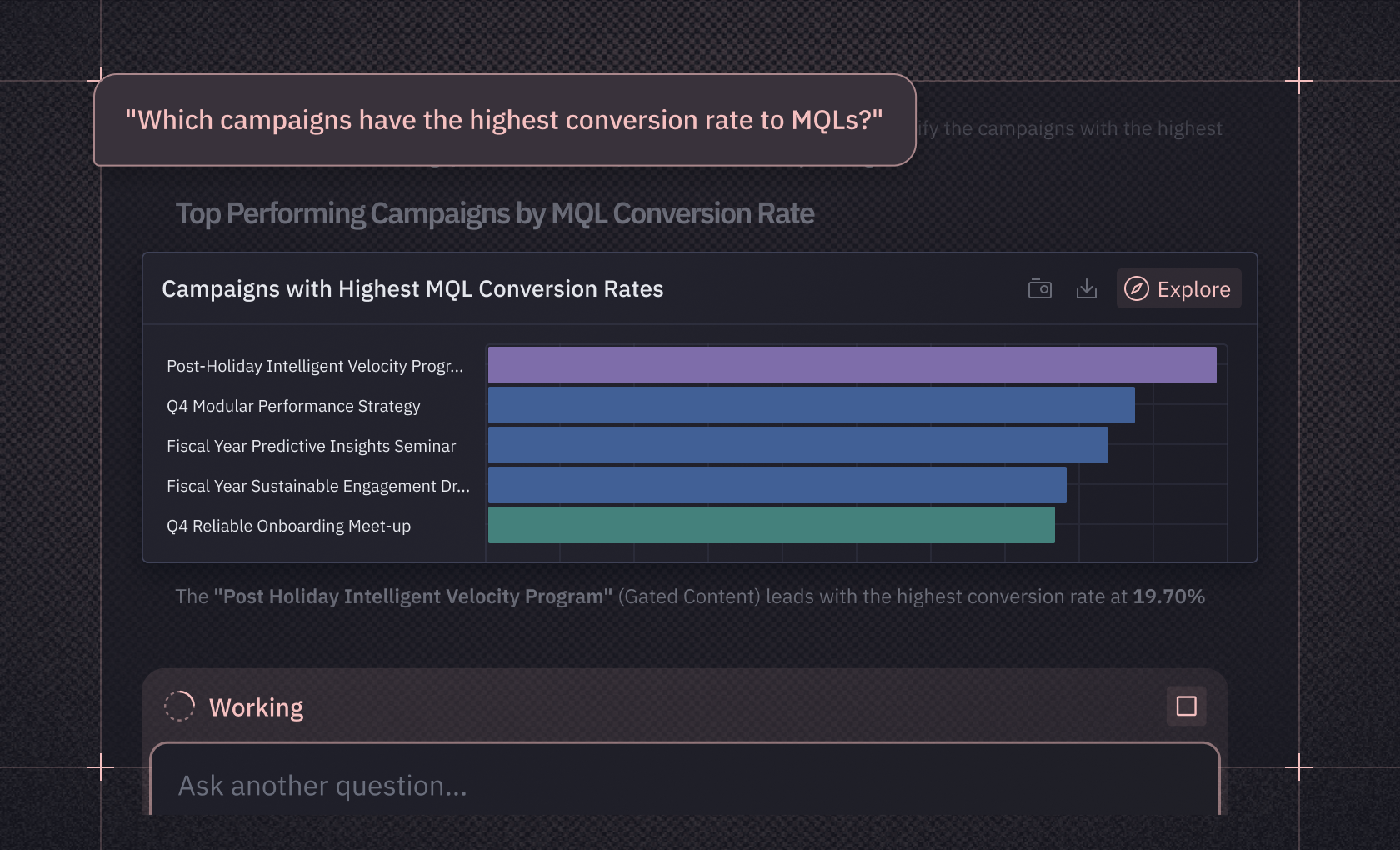
The system pulls context from semantic models, workspace rules, and endorsed data sources, so answers are both fast and trustworthy.
How AI changes traditional BI workflows
The biggest shift isn't that AI generates queries faster. It's that AI changes what the output looks like, where it shows up, and how people interact with it.
AI works through an analysis with you
Traditional BI is one-directional: someone builds a dashboard, and everyone else consumes it. When a question falls outside what the dashboard was designed to answer, you're back in the queue.
AI-powered analytics tools work more like a conversation. You ask a question, get an answer, and then ask the follow-up that the first answer prompted. The AI holds context across the exchange, connecting to the underlying data to pull in what's relevant at each step. A product manager asking about conversion rates by region can immediately follow up with "break that down by mobile vs. desktop" or "how does that compare to last quarter?" without filing a new request.
This is the difference between a reporting tool and an analytical partner. The AI isn't generating a static artifact. It's working through the problem alongside you.
Insights show up where decisions happen
Dashboards force everyone to come to them. In practice, the question comes up in a Slack thread, during a planning meeting, or, increasingly, in an agent harness. By the time someone navigates to the BI tool, the moment has often passed.
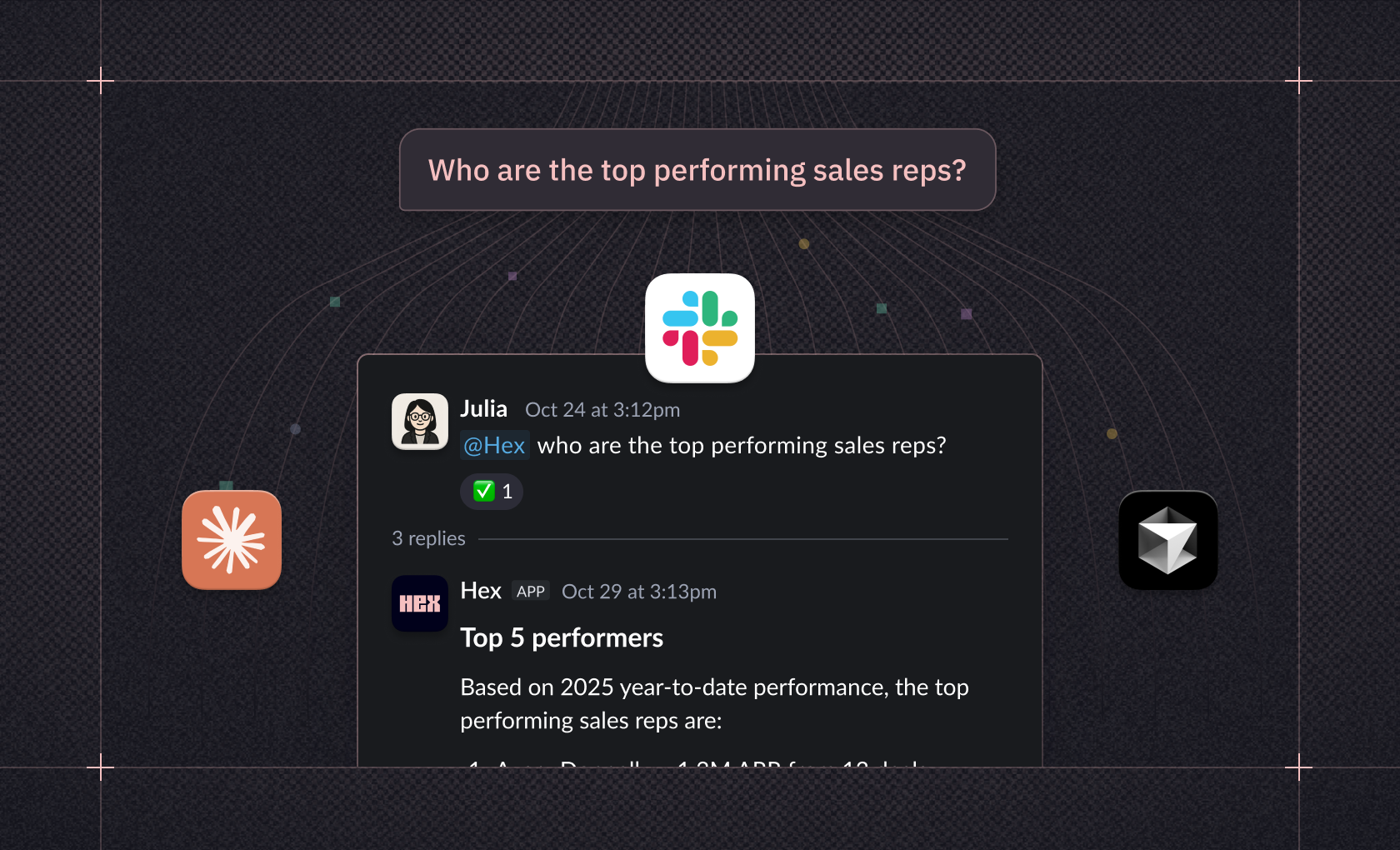
AI changes the delivery mechanism. Instead of centralizing insights in a dashboard someone has to visit, platforms can surface answers directly in the tools where work happens. Hex, for example, integrates with Slack and surfaces analytics in tools like Claude and Cursor through its MCP server. A manager asking about top performers in a Slack thread gets the same governed data they'd get in the full platform.
The output is an insight, not a dashboard
Traditional BI's final artifact is a chart or table that someone still has to interpret and explain. AI shifts that. The output becomes a summary: a written or visual explanation of what the data shows, why it matters, and what changed. Instead of building a dashboard and then writing up the takeaways in a separate document, the analysis and the narrative arrive together.
This doesn't eliminate dashboards. Monitoring dashboards that track KPIs over time still make sense. But for the ad hoc questions that fill most data teams' backlogs, the overhead of building a dashboard for every answer is disappearing.
Why AI bolted onto traditional BI falls short
Adding AI features to existing BI tools sounds like a quick win. But bolting conversational interfaces onto dashboards doesn't solve the underlying problems with how traditional BI tools work. It just adds a new layer on top of a broken workflow.
The dead end problem
Most BI tools are built for consuming pre-built reports, not for answering new questions. When someone asks something the dashboard wasn't designed for, they hit a dead end. The data team picks it up in a separate tool, does the analysis, and eventually surfaces the answer back in the BI layer as a new report. That round-trip takes days or weeks.
Bolting AI onto this workflow doesn't remove the dead end. If the AI can only query what's already been modeled and exposed, the first question gets faster but the second one — the follow-up that matters — still requires an analyst to leave the platform, build new context, and come back. The tool changed. The bottleneck didn't.
The observability gap
For AI-assisted analytics to improve over time, data teams need to see how agents are responding, where they're failing, and what context is missing. Most BI tools with AI features don't provide this visibility. And even if they did, the work to improve agent context happens somewhere else — you'd leave the BI tool to refine semantic models, test new definitions, and deploy changes, then return to see if it helped.
The flywheel
Hex takes a different approach. Because Hex combines deep analysis in notebooks with conversational self-serve in Threads, data teams and business users work in the same environment. When a business user's question reveals a gap in the semantic model, the data team can investigate, refine, and deploy improvements without switching tools. The business user's next question benefits from better context.
Over time, this creates a flywheel: more questions surface more gaps, which data teams fill, which makes future answers more accurate and complete. This only works when analysis, modeling, and self-serve happen in one place. Otherwise, you're just adding AI to the same fragmented workflow and wondering why the request queue never shrinks.
What changes when AI is built into the workflow
That endless loop of requests, context-switching, and waiting? It starts to break when AI is woven into how analytics actually works, not layered on top. The change shows up on both sides: business users stop waiting for answers, and data teams stop drowning in the requests that created the wait.
AI automates the repetitive work
For data teams, the most immediate win is time back. Instead of writing SQL variations for every stakeholder question, analysts generate queries conversationally and focus on the modeling and governance work that makes every future answer better. For business users, the same automation means they stop waiting. Questions that used to sit in a queue for days get answered in minutes, grounded in the same governed data the analysts would have used.
The Calendly team saw both sides of this shift. Analysts used AI to generate boilerplate SQL, then refined it, spending their time on the analysis, not the syntax. But the payoff wasn't just faster queries. The team built a Standardized Metric Library that gave the whole company a shared source of truth, so business partners could trust the numbers without chasing down an analyst to verify them.
The team became twice as efficient. As Director Kate Urquiola put it, "We're regarded as top performers because the work we are doing is deemed more credible and more widely surfaced than before."
Self-service shrinks the request queue
The biggest bottleneck in most data organizations is the volume of ad hoc requests that prevent analysts from doing strategic work. AI-powered self-service capabilities let business users answer routine questions independently, freeing analysts to focus on complex analysis that can move the business forward.
This doesn't mean analysts become unnecessary. Their work shifts from being the bottleneck to being the architecture. You're building semantic models, establishing governance frameworks, and ensuring the self-serve tools point to trusted data rather than responding to every individual request.
Real-time answers speed up decisions
Traditional BI needs context-switching: a product manager asks a question, waits for a report, reviews it days later, and asks follow-up questions that restart the cycle. BI tools with AI deliver insights in real-time, often embedded directly in the tools where decisions happen. The product manager gets answers while the question is still relevant, not after they've already moved on or guessed.
Getting started with AI in BI
None of the speed, self-service, or automation gains above matter if the underlying data is unreliable. AI compounds whatever quality issues you already have: inconsistent definitions, missing values, accuracy problems. And it does so faster and at a greater scale than traditional BI ever could.
That's where context curation comes in. Instead of letting business users query any table in the warehouse (which sounds convenient but creates accuracy and governance risks), platforms like Hex let data teams build trust incrementally: endorsing the right tables, adding warehouse descriptions, setting workspace rules, and layering in semantic models and governed metric definitions as needs mature. When someone asks about "revenue" through Threads, the AI draws on whatever context the team has provided — not just returning answers that seem plausible.
You don't need a perfect semantic layer before getting started. Hex gives data teams tools to improve context iteratively by observing how agents respond to business users' questions, then refining and deploying improvements, all in one platform. The platform combines Notebook Agent for deep analysis, Threads for conversational self-serve, and Context Studio for agent observability and governance so data teams and business users work in the same environment to generate better, faster insights the more they use Hex.
If you're evaluating AI analytics platforms, the questions to ask aren't just about AI capabilities. They're about whether you can observe and improve agent behavior without switching tools, whether data quality and governance are built into the workflow rather than bolted on afterward, and whether more questions actually lead to better answers over time — not just faster answers to the same limited set.
Ready to see how AI analytics works in practice? Sign up for Hex or request a demo to explore how it works.