Comparing Hex vs. Omni
Choosing between Hex and Omni? Leading companies choose Hex for AI analytics, to give business users and data teams one place for trusted answers on data.
Trusted by leading data companies


"Our vision for Notion’s data team is that anyone, regardless of technical proficiency, is comfortable using data to answer their own questions – and Hex enables that."
Aks Nemana Data Scientist & Abhishek Modi, AI Software Engineer

"We like to embed Hex dashboards where teams work."
Ian Macomber Head of Data and Analytics Engineering


"We’re regarded as top performers because the work we are doing is deemed more credible and more widely surfaced than before Hex."
Kate Urquiola Director, Go-to-Market Analytics

"Hex has helped us empower business analysts to explore and dig into data on their own"
Meghana Reddy Head of Data at Stubhub
Why companies choose Hex over Omni
One place for every data question
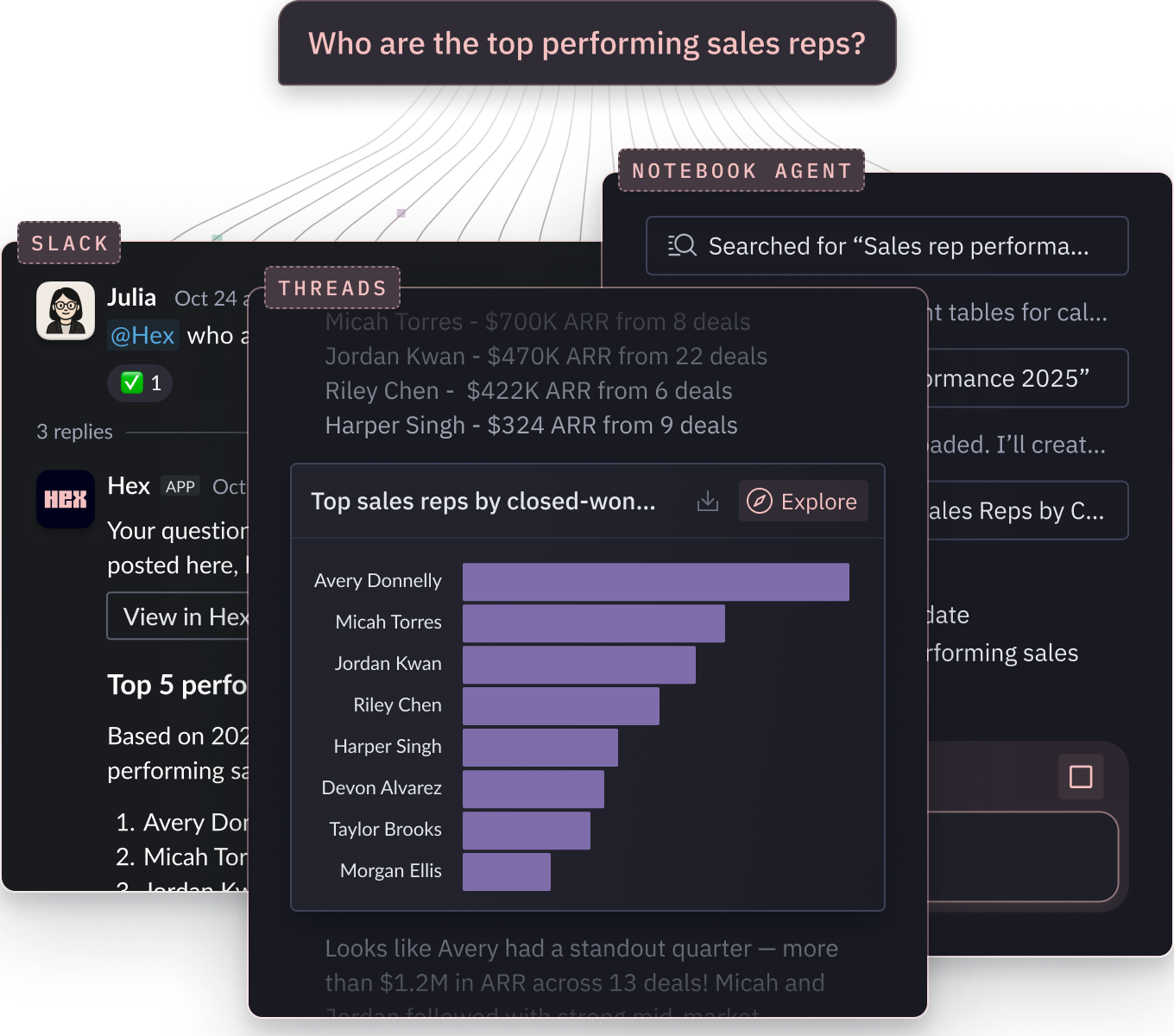
Hex brings everyone into a single place to answer questions with data and AI. Business users explore with natural language and no code. Data teams dive into deeper questions using SQL & Python in agentic notebooks.
In Omni, deeper questions are siloed outside the platform, fragmenting answers and logic across multiple tools.
| Features | Hex | Omni |
|---|---|---|
AI self-serve Natural language Q&A for business users | Hex Threads handles questions and follow-ups across any curated dataset, with or without semantic models in place. | Omni Chat-based exploration that is constrained to one modeled topic at a time. |
No-code exploration Point-and-click interfaces for data analysis | Hex Explore with spreadsheets, pivot tables, and drag-and-drop chart builders. | Omni Spreadsheet-style workbook with drag-and-drop, field pickers, and chart editor. |
SQL + Python exploration Code-first analysis with seamless language switching | Hex Notebooks let you mix SQL, Python, and no-code cells interchangeably, keeping analyses clear, connected, and reproducible. | Omni Workbook tabs are isolated queries. No notebook canvas for multi-step analysis, and no Python support. |
AI code generation AI for helping data teams query and analyze faster | Hex Notebook Agent generates, debugs, and iterates on SQL and Python across multi-step logic. | Omni No AI assistance for code generation or debugging. |
Trusted AI without heavy upfront modeling
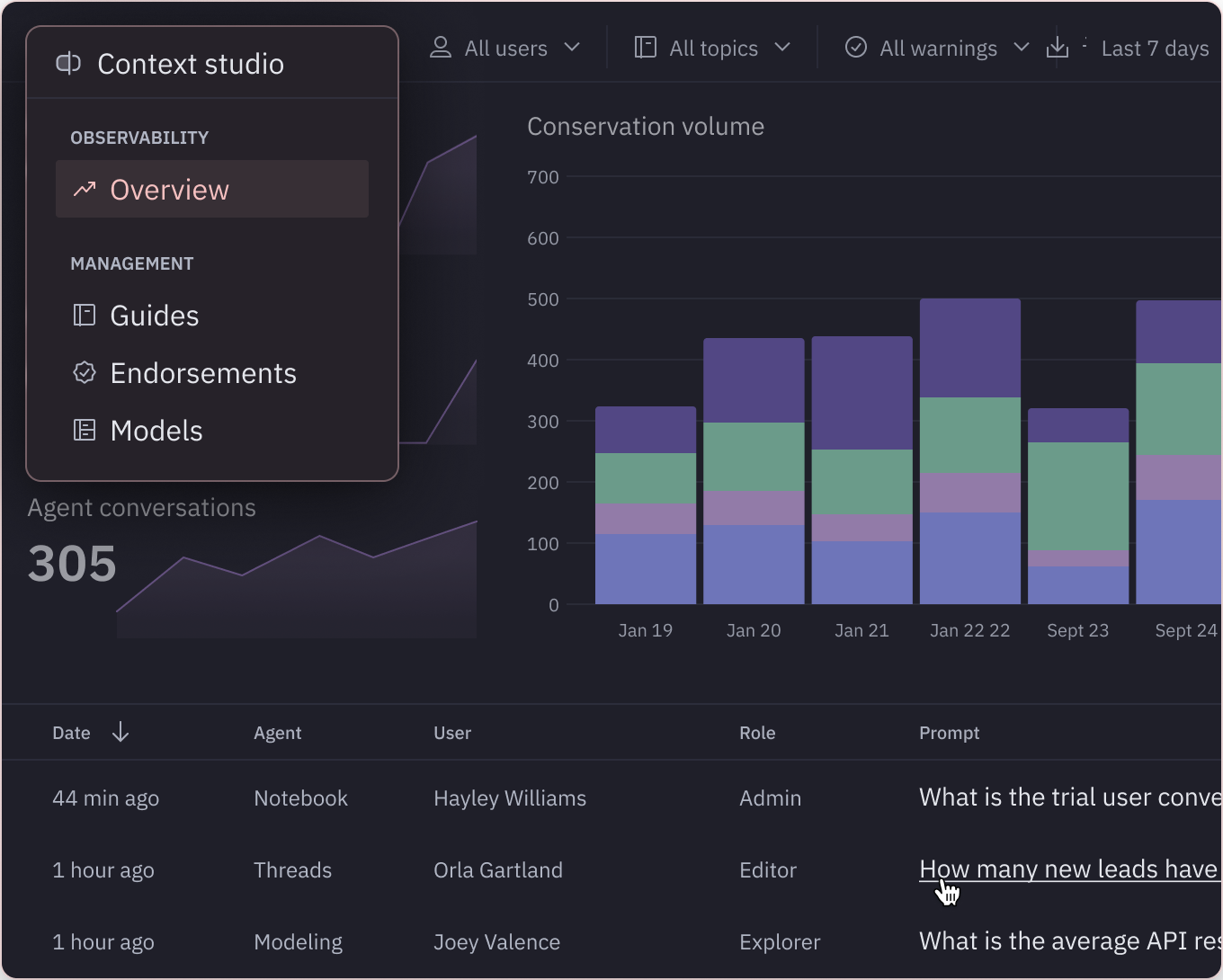
Trusted answers from AI depend on context. In Hex, start simple with metadata, table endorsements, and guides, then sharpen with observability and automation tools as you go.
In Omni, context for AI requires building semantic models for every domain upfront. Time-intensive to start and rigid to maintain.
| Features | Hex | Omni |
|---|---|---|
Context architecture How context is structured and built | Hex Context is layered, not monolithic: metadata, table endorsements, guides, and semantic models. Start lightweight and layer in over time as needed. | Omni Context is locked to the semantic layer. Every new domain requires building a topic before AI can answer reliably. |
AI observability Visibility into how AI is being used | Hex Context Studio provides visibility into AI interactions across all surfaces, detailed summaries, and usage patterns across your users. | Omni Basic usage logs available. Lacks visibility into patterns and trends across AI usage. |
Automated context improvement Spotting gaps in context and suggesting fixes | Hex Context Studio identifies where AI is falling short, flags missing context, and suggests improvements to implement. | Omni No tooling or automation for proactively detecting context gaps or suggesting improvements. |
Compounding context Existing dashboards and apps inform future answers | Hex Published apps and dashboards are reference-able context. Agents pull from them automatically, or users @-mention them directly. | Omni No mechanism to reuse prior analyses or published dashboards as context for new questions. |
Go beyond dashboards & semantic models
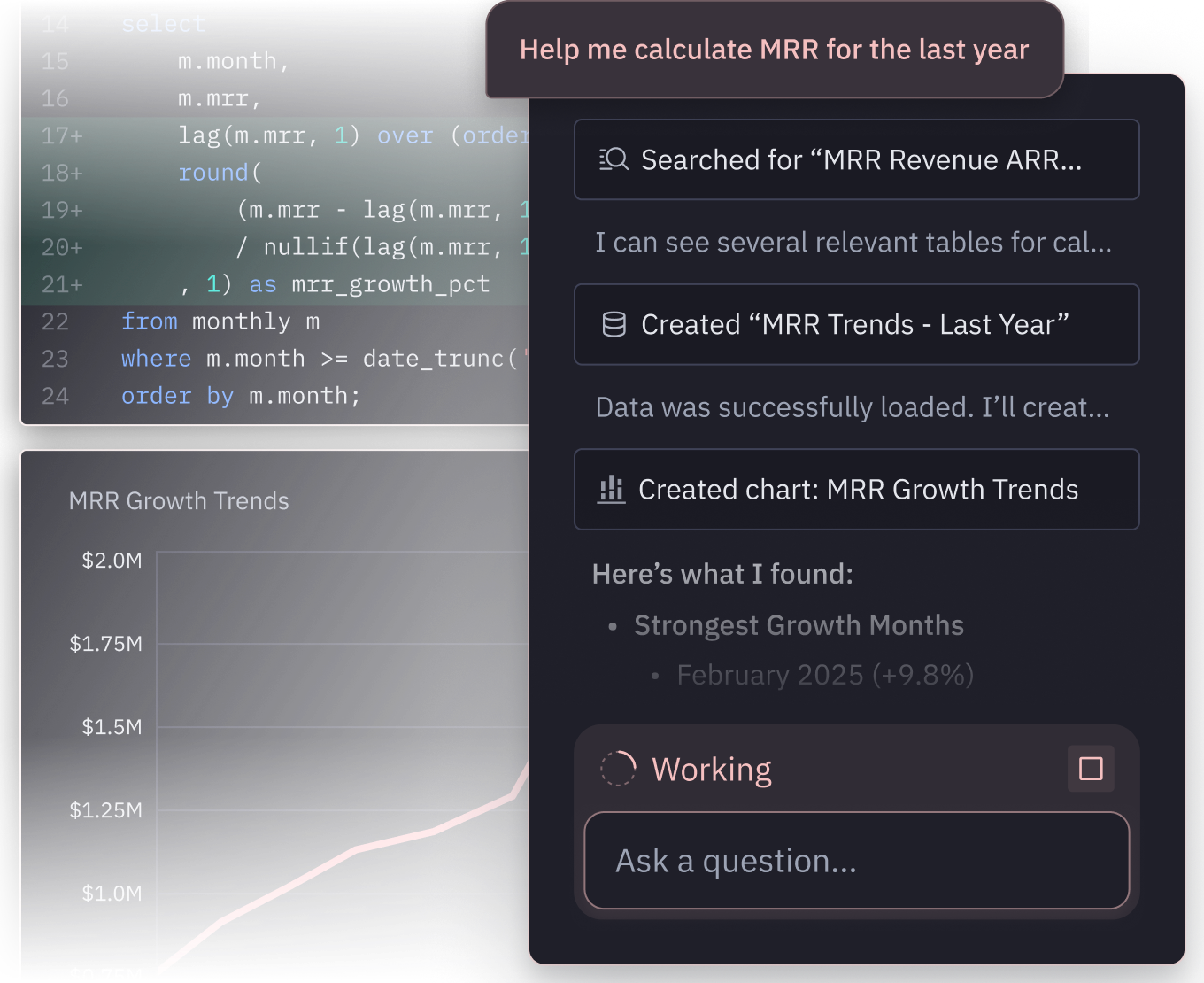
With Hex, business users can self-serve trusted insights, whether predefined in a semantic model or not. And data teams have the freedom to ship deeper work, like forecasts and simulations, as interactive data apps.
Omni constrains every question to a semantic model and every output to a dashboard. Fine for reporting, but limited for deeper analysis or exploration.
| Features | Hex | Omni |
|---|---|---|
Ad-hoc exploration Investigating novel questions beyond what's modeled | Hex Anyone can explore trusted data in Hex, modeled or not. Threads handles plain-language questions and notebooks handle deeper work. | Omni AI and self-serve require a semantic topic. New domains can't be explored until they're modeled. |
Reporting dashboards Standard KPI and metric tracking | Hex Create dashboards and visualizations using no-code charts or Python libraries. | Omni Create dashboards with customizable Vega-Lite charts. |
Interactive apps Dynamic exploration beyond dashboards | Hex Data apps include inputs and controls, like dropdowns, sliders, and date pickers, for truly interactive analysis. | Omni Dashboards support filtering, but limited support for live computation based on inputs. |
Advanced insights Forecasts, simulations, and what-ifs as shareable artifacts | Hex Data apps run live Python and SQL logic, enabling forecasting and what-if scenario builds to live alongside reporting. | Omni Limited support for advanced analytics, with no support for python. |
Unify the full cycle of data work with Hex.
Leave disconnected workflows behind.
Compounding accuracy
- Deep analysis
Explore the new, novel, and gnarly
- Trusted context
Semantic models, reusable components, and interactive data apps.
- Conversational self-serve
Start with a prompt, get to a first draft in minutes, and iterate with full control.
Hear from data teams that chose Hex
Learn how the best companies in the world answer more questions with data using Hex.


FAQ
Omni and Hex diverge in two fundamental ways: where work happens and how context for AI is built.
Omni is a semantic-model-first BI tool. Every question has to anchor to a pre-defined model, which means two things. First, novel or complex questions can't be answered in the platform, they end up in spreadsheets, notebooks, or another tool. Second, building and maintaining those models is time-intensive and rigid, so AI's accuracy and reach are both bottlenecked by upfront modeling work.
In Hex, everyone can ask and answer questions in one place. Business users and data teams explore the same data with AI, code, or no-code. And ensuring accurate, consistent answers doesn't rely on every domain being prebuilt into a semantic model.
On top of that, AI in Hex gets smarter with every use. Existing apps, dashboards, and notebooks become referenceable context for future questions. Context Studio proactively surfaces gaps and suggests improvements based on every agent interaction. The more your team builds, the better the Hex agent performs.
Hex is built so business users and data teams can collaborate and answer every kind of question in one place. Business users explore in natural language through Threads, with no-code spreadsheets and pivot tables, or by interacting with published data apps. Data teams get the full depth of SQL and Python with the Notebook Agent when questions go deeper.
Because everyone works in the same workspace, business users and data teams iterate together. Context improves faster, deeper insights are shared more easily, and every answer becomes context for the next question.
Every surface in Hex is a project. Whether you're exploring in a Thread, a notebook, or a data app, you're working on the same underlying thing, with the same data connections, the same cell-based structure, the same context, and the same governance.
That means a business user can ask a question in a Thread, the data team can open it as a notebook to audit the code and extend the analysis, and the result can be published as a data app. Multiple surfaces, all the same project. A stakeholder reading that data app can then start a new Thread from it, with the agent already loaded with the project's full context. Nothing gets re-platformed, re-modeled, or copied between tools. It's what uniquely allows Hex to let a wide range of personas collaborate on the same work without handoffs that lose context or require rebuilding logic.
Hex's agent is the opposite of a black box. Every step it takes, whether triggered from a Thread, a notebook, or a data app, runs as a cell inside a notebook. You see the SQL it ran, the Python it wrote, the chart spec, and the reasoning at each step. A business user can read the natural-language summary, while an analyst can click into a notebook and view any cell to validate the query or fork the analysis.
AI in Hex generates analysis directly through the semantic models, endorsed tables, and workspace context your data team curates, and it shows you the exact logic it took at every step. That's strictly more inspectable than an AI that only emits a final semantic query, because you see the full chain of reasoning, not just the last hop.
Yes, and it's one of the things Hex does that single-surface BI tools structurally can't. There's three paths that only Hex can support all of:
- A business user explores in a Thread, hands it to the data team, and the data team opens it as a notebook to validate, extend, or publish as a data app.
- A business user takes a chart or result the agent produced and keeps exploring on their own with drag-and-drop, spreadsheet cells, filters, and pivots.
- A stakeholder reading a published data app starts a new Thread directly from that app, and the agent picks up with the app's full underlying logic already loaded.
Every artifact the agent produces is a first-class object that anyone can edit, fork, or build on.
Yes. Hex supports enterprise governance across SSO, SCIM/directory sync, workspace roles, project and app permissions, data connection permissions, audit logs, required reviews, and secure embedding with row-level security.
For internal analytics, row- and column-level controls are typically enforced in the warehouse, governed views, dbt models, or semantic layers. Hex respects those controls through data connections, OAuth, groups, project permissions, and publishing workflows.
No, you can build lightweight context like metadata, table endorsements, and guides, and see meaningful increases in accuracy and consistency in AI answers. You can still build semantic models when you have metric logic worth formalizing, or sync existing models from dbt, Snowflake, or Cube. But they are not imperative to start getting trusted answers from AI.
BI dashboards are built to show what happened—fixed KPIs and standard cuts of the data. Hex is built to answer how it happened, why it happened, and what if it changes. With data-team-first workflows in a notebook that supports SQL, Python, and no-code, teams can move quickly from simple KPI lookups to deep, iterative analysis, without bouncing between tools.
Business questions come in all shapes and forms. Sometimes it’s a simple KPI trend, other times it’s “why is this happening?” or “what can we expect next?”, which requires deeper analysis. Splitting BI and technical analysis across different tools creates friction, duplicate effort, and inconsistent answers. Hex unifies it all in one place so the workflow stays connected.
Yes. Hex supports traditional dashboards, but also goes further, letting teams build interactive data apps, parameterized views, and even workflows with predictive models. That flexibility means you can cover executive reporting and deeper analysis in the same place, instead of maintaining separate tools.
Yes. Hex lets users self-serve insights with natural language Q&A, interactive charts, pivot tables, spreadsheet-style views, and simple formula-based calculations—all without writing SQL or Python.
Hex takes an interoperable approach to semantic models, giving you the flexibility to build directly in Hex or sync from other sources. Building in Hex lets you define and edit models right where you already work with data—with autocomplete, inline validation, and AI-assisted code generation in the modeling workbench.
Alternatively, you can sync existing semantic models from dbt, Snowflake, or Cube. Either way, your semantic models live alongside notebooks, self-serve, and agents, ensuring governed, reusable logic powers every workflow.
Anyone can sign up for a free 14-day trial of Hex's Team plan. If you'll require more time to evaluate Hex or are curious about our Enterprise plan, please reach out and we'll get you set up!
Can't find your answer here? Get in touch.