Blog
The data team's guide to generative AI analytics
How can you turn data analytics into a conversation?



A product manager types "Why did trial conversions drop last month?" into an AI chat bar. Thirty seconds later, they're looking at a chart with the answer. No ticket filed, no query written, no back-and-forth about what "conversion" means in this context. Meanwhile, a data scientist uses that same AI to plan a cohort analysis, test three hypotheses, and draft a summary for leadership.
This is what generative AI analytics looks like in action. Large language models (LLMs) translate plain-English questions into SQL, execute queries against your warehouse, and return formatted results that anyone can read and understand. The best part? Users can ask follow-up questions and get answers without needing to wait for the data team, and the data team stops fielding the same questions on repeat.
This guide breaks down what generative AI analytics actually is, where it delivers real value, and how data teams are putting it to work without losing control of the outputs.
What is generative AI analytics?
Generative AI analytics, also known as conversational analytics, is the use of LLMs to convert natural language questions into executable code, generate automated insights, and expand data access across organizations. Rather than replacing traditional predictive and prescriptive analytics, this technology augments them by making them more accessible to non-technical users.
For example, this is what conversational analytics looks like in Threads:
The difference between generative AI analytics and traditional analytics is who does the translation work. In traditional analytics workflows, a human translates business questions into code. With generative AI, the model handles that translation instantly.
Here’s what usually happens in a traditional analytics workflow: a business user submits a request. Someone on the data team translates it into SQL or Python, then runs the query, builds a chart, and sends it back. In many organizations, follow-up requests can take days to turn around, and the cycle repeats.
Generative AI compresses this loop considerably, though it works best when built on clean semantic definitions and proper governance. Without that foundation, you're asking AI to navigate a maze without a map.
How generative AI supports data analysis
Generative AI supports data analysis by automating tedious work like writing queries and code, and by making complex analysis accessible through natural language. Here's how it helps across different parts of the workflow.
Turning plain English questions into queries and code
The most immediate capability is turning natural language to SQL. You can ask questions in plain English and have AI generate SQL or Python to run against warehouses like Snowflake or BigQuery. This reduces reliance on specialists for every request.
AI agents can go further, drafting complete analyses that pull data from multiple tables and prepare it for modeling. Analysts review and refine rather than starting from a blank page. AI can also propose and build appropriate charts and dashboards from questions or datasets, so you can spend less time manually configuring visuals.
Speeding up the analysis loop
AI-native analytics platforms combine SQL editors, Python notebooks, documentation, and BI-style publishing in one environment. This reduces context switching across separate tools and keeps work in a single place.
Once you're working in one place, iteration speeds up too. Instead of rewriting queries manually, you can ask conversationally ("now segment by region and time," "add retention by cohort") and let AI update the queries and charts. AI can handle routine setup work, like writing boilerplate queries or configuring data connections, so you spend more time interpreting results and less time getting to them.
Opening access to non-technical users
Business users can explore governed data via chat-like interfaces that translate questions into safe SQL and visualizations without requiring coding. AI can suggest follow-up questions, drill-downs, or related metrics, helping less technical stakeholders go beyond static dashboards.
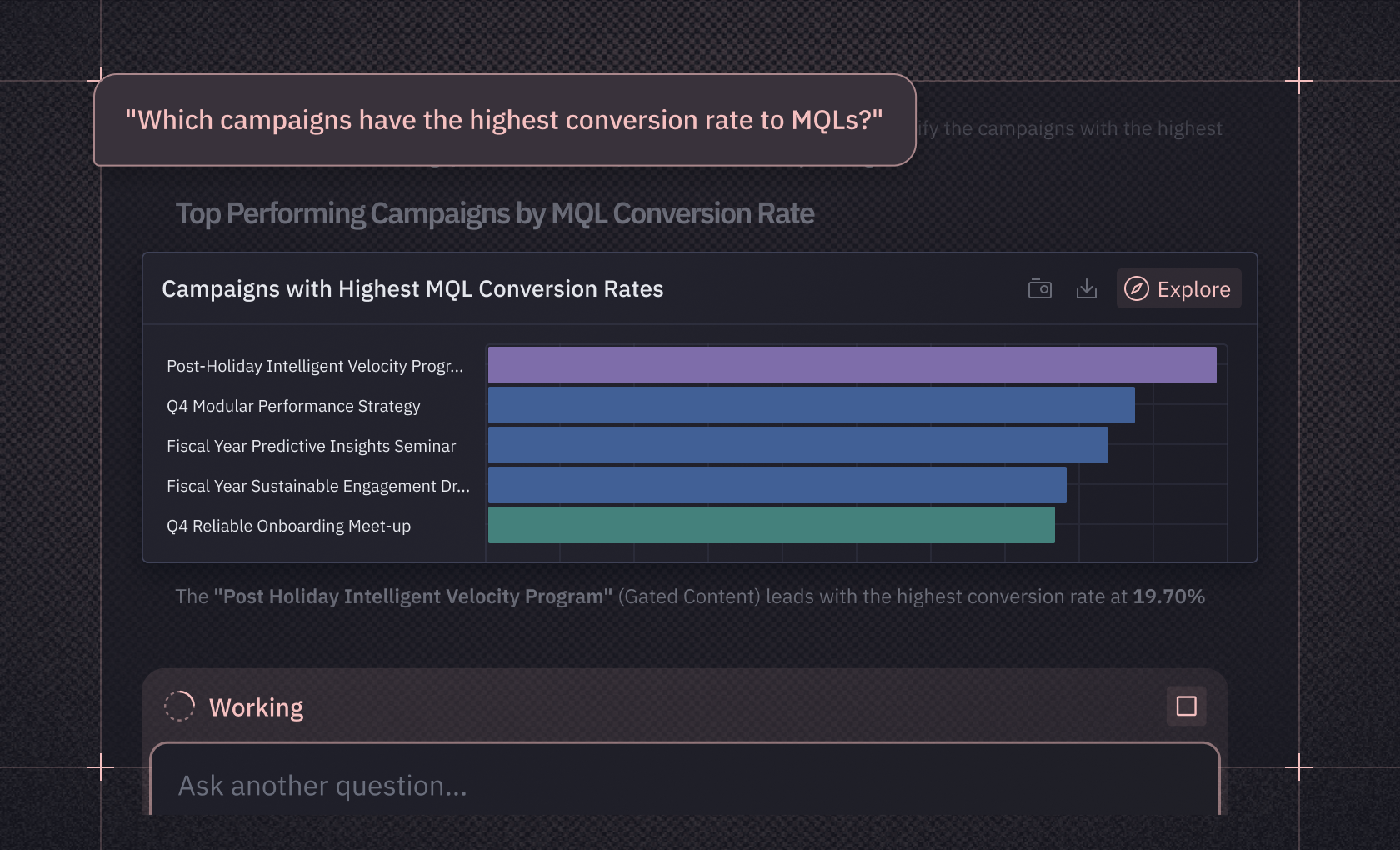
For example, all a business user needs to do to get a chart on MQL conversion rate is open Threads and ask, “Which campaigns have the highest conversion rate to MQLs?”
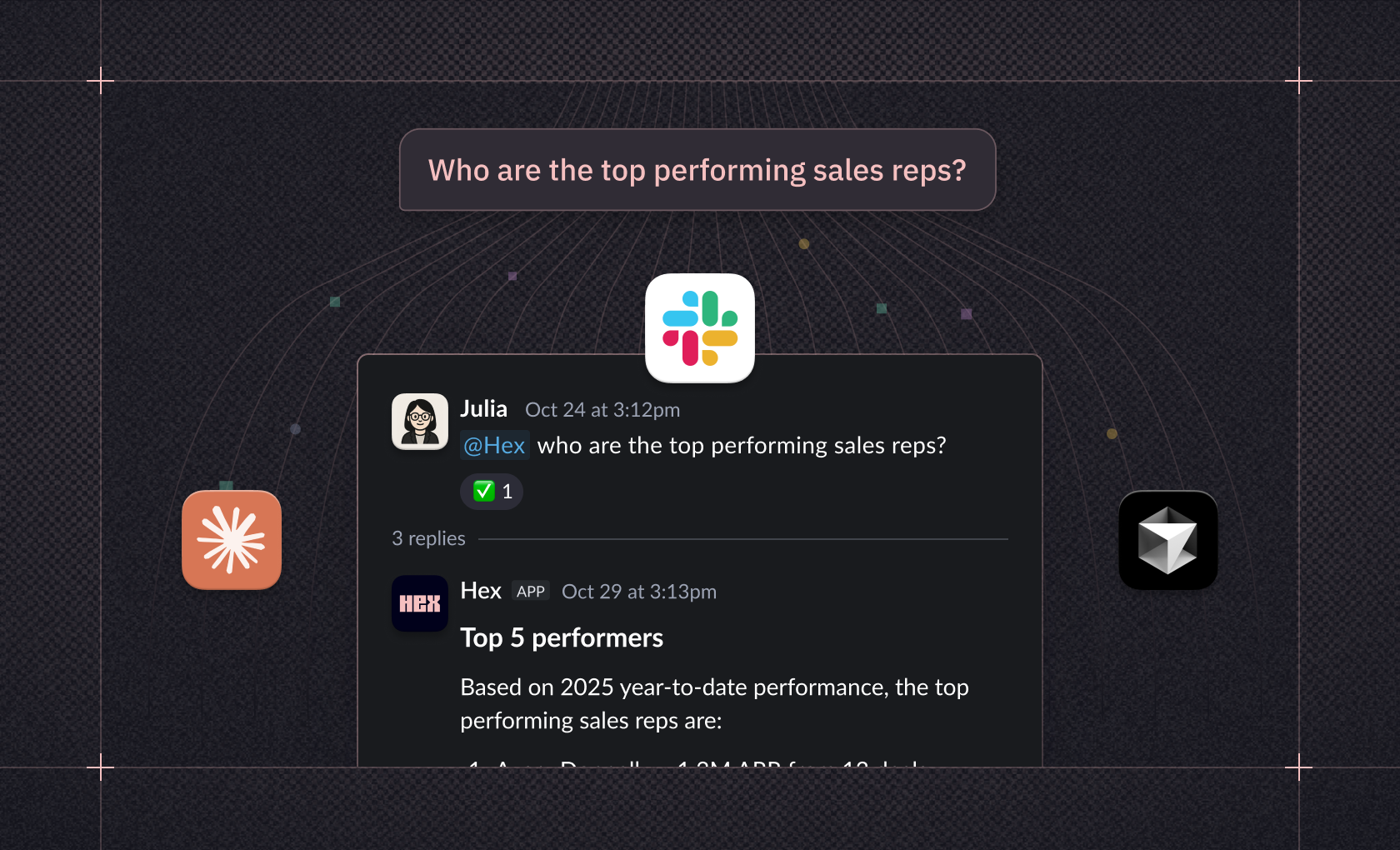
Some conversational analytics tools, like Hex, even integrate with other tools like Slack, so anyone can get charts directly from tools they use every day:
When non-technical users self-serve common questions, data teams handle fewer ad hoc requests. This frees up time for data analysts to do deeper analysis and modeling rather than fielding routine requests that could be answered with the right interface.
Keeping governance intact
Self-serve access only works if governance comes along for the ride. Some platforms feed AI with semantic models and curated metrics, so generated queries use consistent definitions, meaning one definition of "revenue" applies across teams, regardless of who's asking or how they phrase the question. Hex has a Context Studio that now lets you manage the entire lifecycle of its analytics agents — from seeing what questions are being asked, to diagnosing confusion, to curating and testing the context agents rely on.
AI analytics tools should keep AI-generated SQL, Python, and charts fully visible and editable in notebooks so data teams can audit, refine, and productionize analyses. And by embedding AI directly in governed data tools, organizations can reduce the risk of employees resorting to unmanaged chatbots with copy-pasted data.
Making collaboration easier
Multiple users can co-edit analyses, comment on specific cells, and iterate on AI-suggested code together, similar to Google Docs, but for data. Analyses built with AI assistance can be turned into interactive apps or dashboards with one click, so stakeholders can explore live results instead of static exports.
AI can also reference existing projects, data apps, and endorsed datasets when generating new analyses. This increases consistency and reuse across the org, building on work that's already been validated rather than starting fresh every time.
How teams actually use generative AI analytics
Analytics engineers, data scientists, analysts, and business users each interact with generative AI analytics tools in their own ways, and the value they get looks quite different depending on where they sit. Let's walk through how different roles are putting generative AI to work.
Analytics engineers and data platform teams
Analytics engineers can use generative AI to help design, optimize, and maintain data pipelines. The AI can generate SQL queries from natural language descriptions, write Python transformation scripts, and create ETL logic based on workflow requirements you describe.
What this means in practice is faster pipeline development and documentation that actually gets written. In some platforms, AI can help automate metadata generation from code and schemas, turning technical specifications into human-readable documentation without someone having to sit down and write it all out. This directly addresses the documentation debt that tends to accumulate in fast-moving data teams, helping ensure that knowledge sticks around even when people are too busy to write things down manually.
Data scientists
Data scientists use generative AI to tighten the analytical loop, moving faster from question to insight without switching between tools. With Hex's Notebook Agent, analysts can write SQL queries that return answers grounded in full schema context, plan an analysis by outlining an approach before writing any code, and build visualizations directly from results.
The real value shows up in exploratory work. When testing a hypothesis, data scientists can prompt the agent to plan and execute the analysis step by step. Ramp's analytics team does exactly this: their analysts use the Notebook Agent to test ideas and iterate on results without leaving Hex. Once the analysis is complete, the agent can synthesize findings into reports tailored for specific audiences, like product managers or leadership.
For teams working with sensitive or sparse data, generative AI can also help create synthetic datasets that augment real-world examples during model training. This helps predictive models handle edge cases more robustly, though teams still need to validate that synthetic data matches real-world distributions.
Business users
Business users can use generative AI to ask questions in natural language and get answers without waiting for the data team to get back to them. This means product managers, marketers, and finance leads, for example, can explore metrics while staying within governed guardrails.
When a business user asks a question, the AI generates queries using approved calculations and standardized definitions, so the complexity stays hidden while governance remains intact.
Kong's data team, for example, built self-serve data apps in Hex that let product managers explore feature adoption independently, which freed up the data team to focus on deeper analysis rather than fielding routine requests.
How generative AI analytics works
Generative AI analytics uses large AI models to translate business questions into analytical steps, run those steps on your data, and return insights as charts, numbers, and narratives. To understand how this actually works in practice, it helps to break down the pieces and see how they fit together.
Core building blocks
The foundation starts with LLMs trained on large amounts of text and code. These models learn patterns in language, logic, and basic analytics workflows, which gives them the underlying reasoning capability that powers natural language understanding and code generation.
But the AI also needs access to your actual data to be useful. Enterprise data connectors link the system to data warehouses, lakes, and BI models so it can query governed, up-to-date tables and metrics rather than static samples. This connection is what keeps insights grounded in real organizational data rather than generic responses.
The semantic layer is what ties everything together. Business concepts like "revenue," "active users," or "region" are defined once, and the AI maps user questions onto these governed entities and measures. Hex implements this through Semantic Modeling, which provides governed definitions of business logic and metrics that Threads uses when identifying which data sources to query.
End-to-end workflow
When a user asks a question like "Why did churn spike in Q3 in Europe?", the LLM parses intent, metrics, filters, and time windows from the plain language input. This natural language understanding step translates conversational input into structured analytical requirements that the system can actually execute.
From there, the system generates SQL or code to retrieve and aggregate the right data, often using templates and the semantic model to stay consistent and safe. That query runs against your warehouse or BI layer, returning structured results the AI can further analyze, model, or enrich depending on what the user needs.
Automated insight generation
Beyond answering explicit questions, AI can proactively surface patterns that might otherwise go unnoticed. It scans many metrics and dimensions to detect unexpected changes, trends, or outliers without needing a manually built dashboard to catch them.
When something changes, the system can also help explain why. Models compare segments, time periods, and drivers to suggest factors most correlated with a change, whether that's specific channels, cohorts, or regions that explain what's happening. These suggestions surface correlations and hypotheses rather than definitive causal explanations, and should be validated by analysts. Generative models can also fill data gaps, generate alternative scenarios, and work alongside traditional predictive models for forecasting and risk analysis.
User experience layer
The conversational interface lets users iterate naturally, asking things like "break this down by product" or "now show forecast for next quarter," while the AI updates queries, charts, and explanations in real time. The system chooses chart types, builds dashboards, and generates plain-language summaries or data stories around the visuals to help users understand what they're seeing.
Some platforms go further by continuously scanning data streams and pushing alerts or signals when something important changes, even if no one asked. This proactive approach means insights can find users rather than waiting for users to find them, which shifts the dynamic from reactive analysis to continuous awareness.
Governance and safety
AI operates within existing permissions, so users only see data they're allowed to see. By requiring AI to operate through endorsed semantic models rather than raw table access, platforms like Hex implement governance-first architecture that keeps business users exploring data conversationally while data teams maintain control over what the AI can access and how it interprets requests.
Guardrails constrain the LLM to use known schemas, metrics, and query patterns, which reduces hallucinations and keeps SQL maintainable over time. Generated SQL, transformations, and explanations are logged so analysts can review, debug, and productionize successful analyses when they're ready. That said, users should always review AI-generated content since it may be incorrect, and human review serves as a final quality gate in the system design.
Getting started with generative AI analytics
Generative AI analytics lets more users access data independently and do more complex analyses without needing to constantly loop in the data team. Meaning the question-to-answer loop tightens considerably.
Hex is the only AI analytics platform built as a connected system. Data scientists use the Notebook Agent to write queries, test hypotheses, and build visualizations faster; business users explore data conversationally through Threads. Because everything shares the same project and context, a natural-language question can become a notebook analysis you inspect and extend — and then a data app you publish and share. Data teams stay in control through Semantic Modeling and governed data sources. Business users get answers they can trust.
If you want to see how this works in practice, you can sign up for Hex or request a demo. It takes only a few minutes to see how the workflow feels different.